Environment Indicators
Where Are We?
Section titled “Where Are We?”Before we move on to request logging on the backend, let’s take a slight tangent into frontend visibility.
When you have a deployed version of an application that looks exactly identical to the local development version, you are setting a trap for yourself. It is incredibly easy to have two browser tabs open, lose track of which is which, and accidentally submit test data to a live production database—or worse, run a destructive admin action.
We can fix that right now by leveraging Vite.
Vite Environment Variables
Section titled “Vite Environment Variables”Vite exposes a special object called import.meta.env that gives us information about the current build environment.
On our Express backend, we checked environments using process.env.NODE_ENV
because Node.js has direct access to the operating system’s process. Frontend
JavaScript runs in the user’s browser, which has no literal process.
Instead, Vite uses the modern ES module feature import.meta.env to
statically inject these boolean variables directly into our code during the
build.
One of the most useful properties on that object is import.meta.env.DEV.
- When we run our local dev server,
import.meta.env.DEVevaluates totrue. - When Render builds the app for production, Vite compiles the frontend code, and
import.meta.env.DEVevaluates tofalse.
We can use this tiny boolean to create a huge quality-of-life improvement: a visual differentiator.
Adding the Dev Indicator
Section titled “Adding the Dev Indicator”Open client/src/main.js. Locate the <nav> block inside the app.innerHTML template literal.
Notice how the navigation bar currently has a subtle border-slate-800:
<nav class="sticky top-0 z-10 border-b border-slate-800 bg-slate-950/90 backdrop-blur"></nav>We want to change that border color to something loud and obvious—like border-amber-500—but only when we are in development mode. We can also inject a small local dev badge next to the title.
Because app.innerHTML is a template literal, we can inject logic directly into it. Above the app.innerHTML assignment, define a dynamic border and a badge string:
// 1. Check if we are running locallyconst isDev = import.meta.env.DEV;const navBorder = isDev  ? "border-amber-500 border-b-2"  : "border-slate-800 border-b";
const devBadge = isDev  ? `<span class="ml-3 rounded bg-amber-500/20 px-2 py-0.5 text-[0.6rem] font-bold text-amber-400 uppercase tracking-widest border border-amber-500/50">Local Dev</span>`  : "";
// ...
app.innerHTML = `  <main class="min-h-screen bg-slate-950 text-slate-100 flex flex-col">    <nav class="sticky top-0 z-10 ${navBorder} bg-slate-950/90 backdrop-blur">      <div class="max-w-6xl mx-auto px-4 py-4 flex items-center justify-between gap-4">        <div>          <p class="text-cyan-400 uppercase tracking-[0.35em] text-xs">Deep Space Dispatch</p>          <h1 class="text-2xl font-bold flex items-center">            Voyagers Log            ${devBadge}          </h1>        </div>        <!-- ... rest of nav ... -->`;
Why This Matters
Section titled “Why This Matters”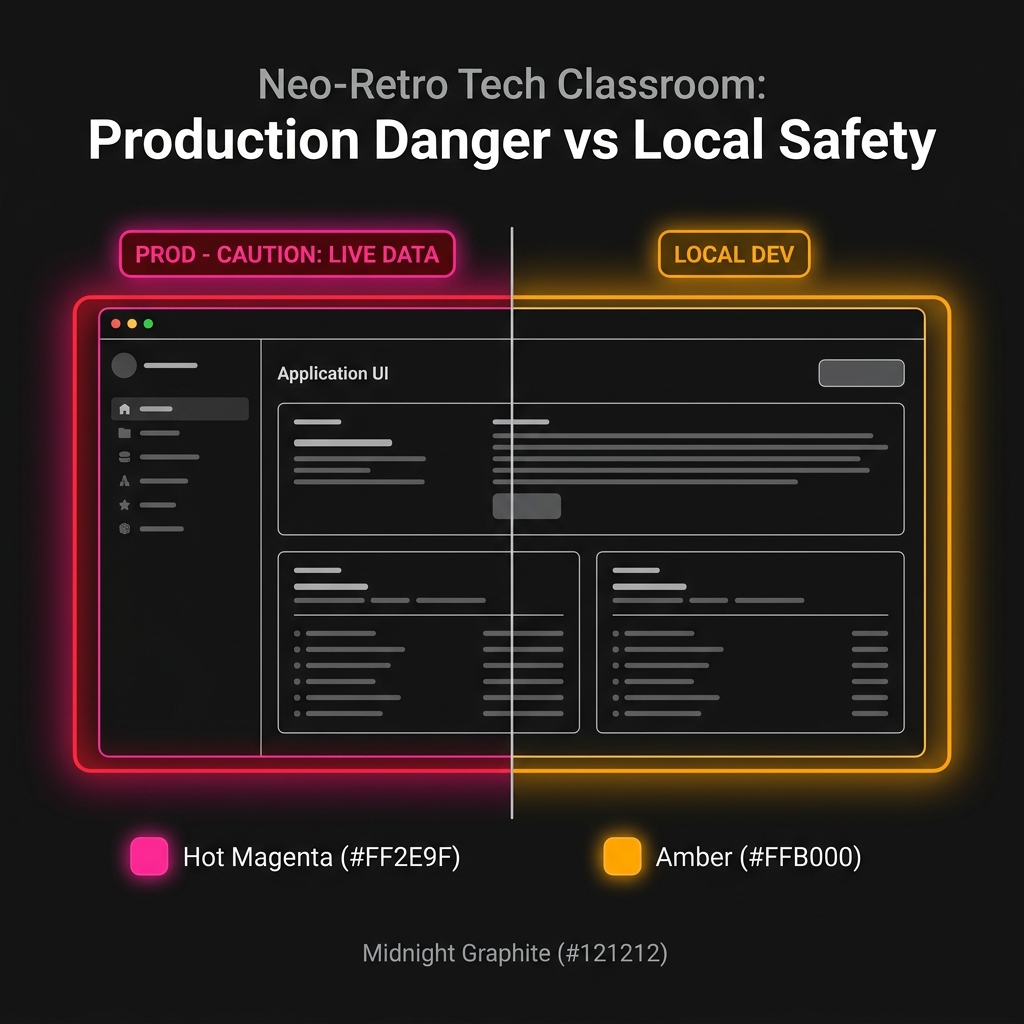
Fig 1. Environmental indicators prevent testing destructive actions in production by mistake.
This is such a small change, but operationally, it is invaluable.
If you open the app and see a loud amber border and a “LOCAL DEV” badge, you instantly know it is safe to test, break things, and submit terrible placeholder data like “asdfasdf”.
If you do not see the badge and the border is the default styling, you know you are looking at the real production deployment on Render, and you should act accordingly.
Relying entirely on reading the URL bar (localhost:3000 vs
voyagers-log.onrender.com) is risky because human brains filter out
repetitive information. A bright amber border is impossible to ignore.
Extra Bits & Bytes
Section titled “Extra Bits & Bytes”Vite: Env Variables and Modes
⏭ Request Logs
Section titled “⏭ Request Logs”Now that we have visual confirmation of our environments and a clean start sequence on the backend, it is time to make our inbound traffic visible.