Services & Environment
We already know what a .env file is.
The new twist here is that Docker Compose automatically looks for one.
If a .env file sits beside our compose.yaml, Compose can load its values and substitute them directly into the YAML.
That means this:
environment: - MONGO_URI=${MONGO_URI}can pull from this:
MONGO_URI=mongodb://db_service:27017/portfolioVery handy.
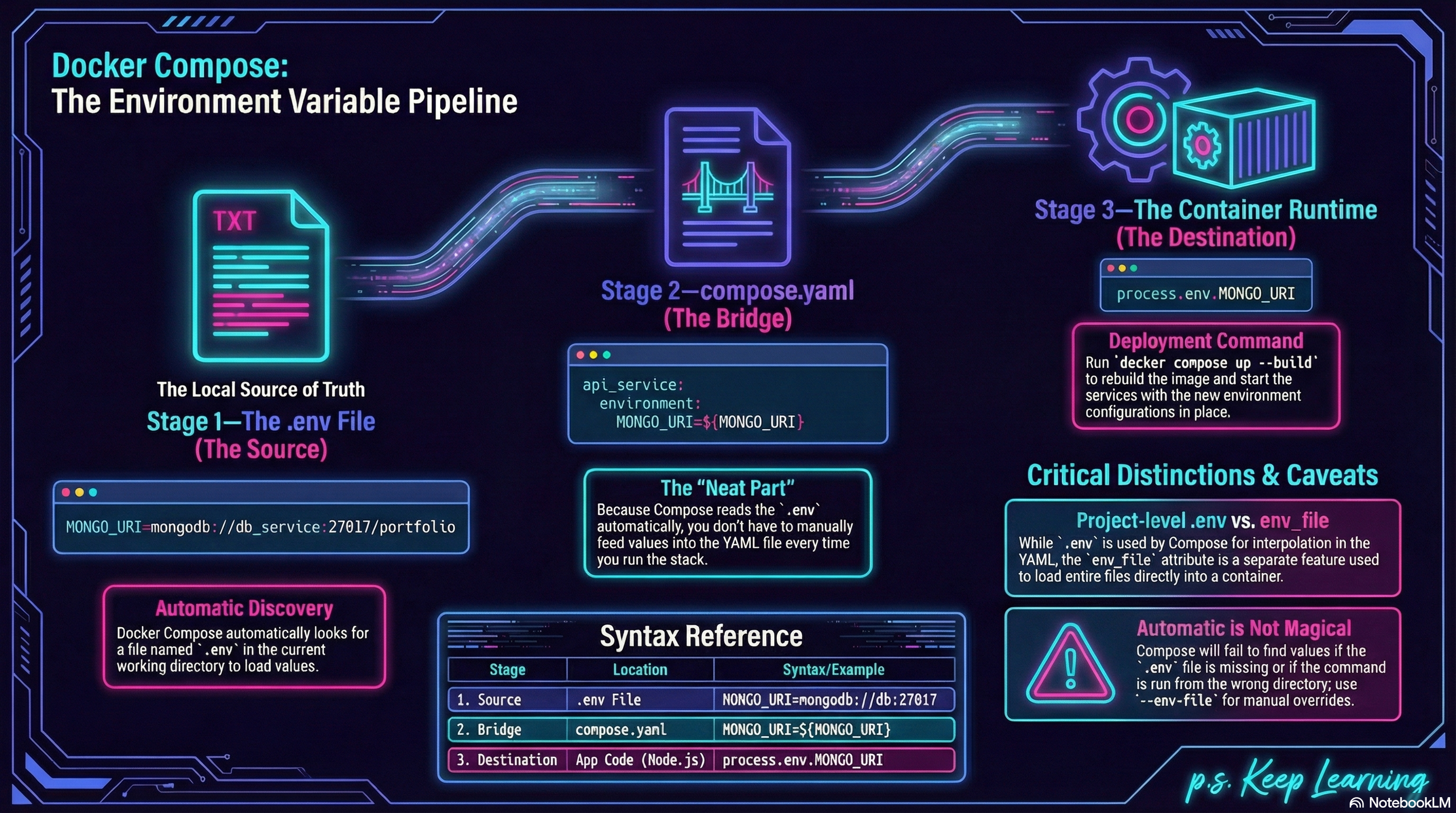
Figure 1: The Environment Variable Pipeline in Docker Compose
The Real Upgrade
Section titled “The Real Upgrade”So far, our API has been depending on a MongoDB connection string.
We do not want to hardcode that into server.js.
Instead, we want the app to read from:
const MONGO_URI = process.env.MONGO_URI;That part should already feel familiar.
What is new here is that Compose can automatically substitute ${MONGO_URI} from a project-level .env file into the service definition. Docker documents both the interpolation syntax and the default .env loading behavior. oai_citation:1‡Docker Documentation
The .env File
Section titled “The .env File”Create a .env file beside our compose.yaml file:
MONGO_URI=mongodb://db_service:27017/portfolioThat gives Compose a value it can use while reading the YAML.
Updating compose.yaml
Section titled “Updating compose.yaml”Now update the API service:
services:  api_service:    build: .    ports:      - "3000:3000"    environment:      - MONGO_URI=${MONGO_URI}
  db_service:    image: mongo:8.0
Compose supports the environment attribute for setting container environment variables, and Docker’s docs show ${VAR} interpolation working with values from .env.
What Is Actually Happening Here?
Section titled “What Is Actually Happening Here?”There are really two steps:
- Compose reads
.env - Compose substitutes
${MONGO_URI}into theenvironmentblock
Then the container starts, and Node sees that value as process.env.MONGO_URI.
That is the bridge.
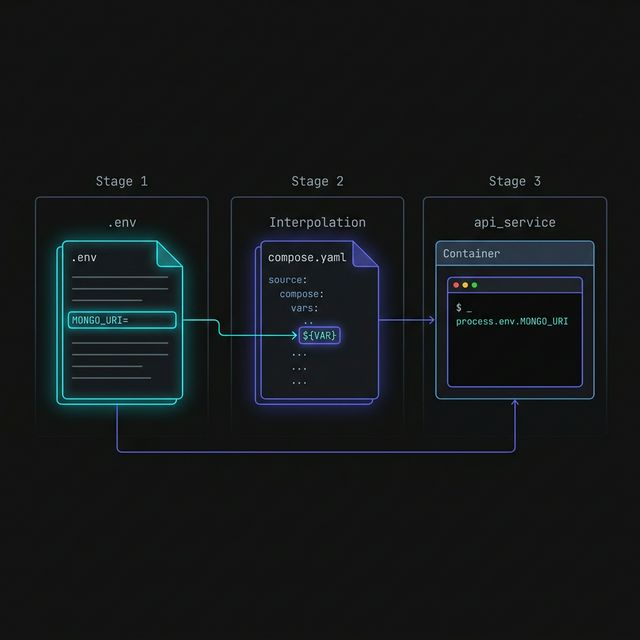
Figure 1: The Triple-Leap. Environment variables travel from your local .env file, through the Compose interpolation engine, and finally land inside the containerized process as accessible runtime variables.
The neat part is not the .env file itself.
The neat part is that Compose automatically reads it for YAML interpolation, so we do not have to manually feed those values into the file every time.
A Useful Distinction
Section titled “A Useful Distinction”There are two similar-looking ideas here:
- the project-level
.envfile used by Compose for interpolation env_file, which is another Compose feature for loading environment files into containers
For this lesson, we are using the first one because it is the cleanest way to show ${MONGO_URI} appearing in compose.yaml. Docker documents env_file separately from interpolation.
Compose auto-loads .env, but only if it can find it in the expected place or
if we explicitly provide one with --env-file.
If the file is missing or we are in the wrong working directory, the values
will not appear the way we expect. Docker documents both the default loading
behavior and the --env-file override.
Rebuild and Run
Section titled “Rebuild and Run”Since the app now reads from process.env.MONGO_URI, rebuild and start the stack:
docker compose up --buildThat rebuilds the API image and starts the services with the new config path in place.
Extra Bits & Bytes
Section titled “Extra Bits & Bytes”Compose Variable Interpolation
Compose Set Environment Variables
⏭ The Control Surface
Section titled “⏭ The Control Surface”Now that the config is flowing through Compose properly, let’s look at the everyday workflow for managing the stack’s lifecycle.