Internal Networking
In the manual days, we had to build the infrastructure (networks) before we could build the application. Docker Compose flips that: it builds the infrastructure for the application.
Compose automatically creates a private project network and attaches every service to it.
Service Discovery: The Magic of Names
Section titled “Service Discovery: The Magic of Names”The most critical feature of this network is Service Discovery.
Instead of tracking down IP addresses, services can reach each other using their Service Name as a hostname. This is why our .env file worked in Lesson 13:
MONGO_URI=mongodb://db_service:27017/portfolioThe API doesn’t know (or care) where the database is; it just asks the network for db_service.
Docker Compose runs a tiny DNS server inside the project network. When the API
asks for db_service, this server gives it the internal IP of the database
container.
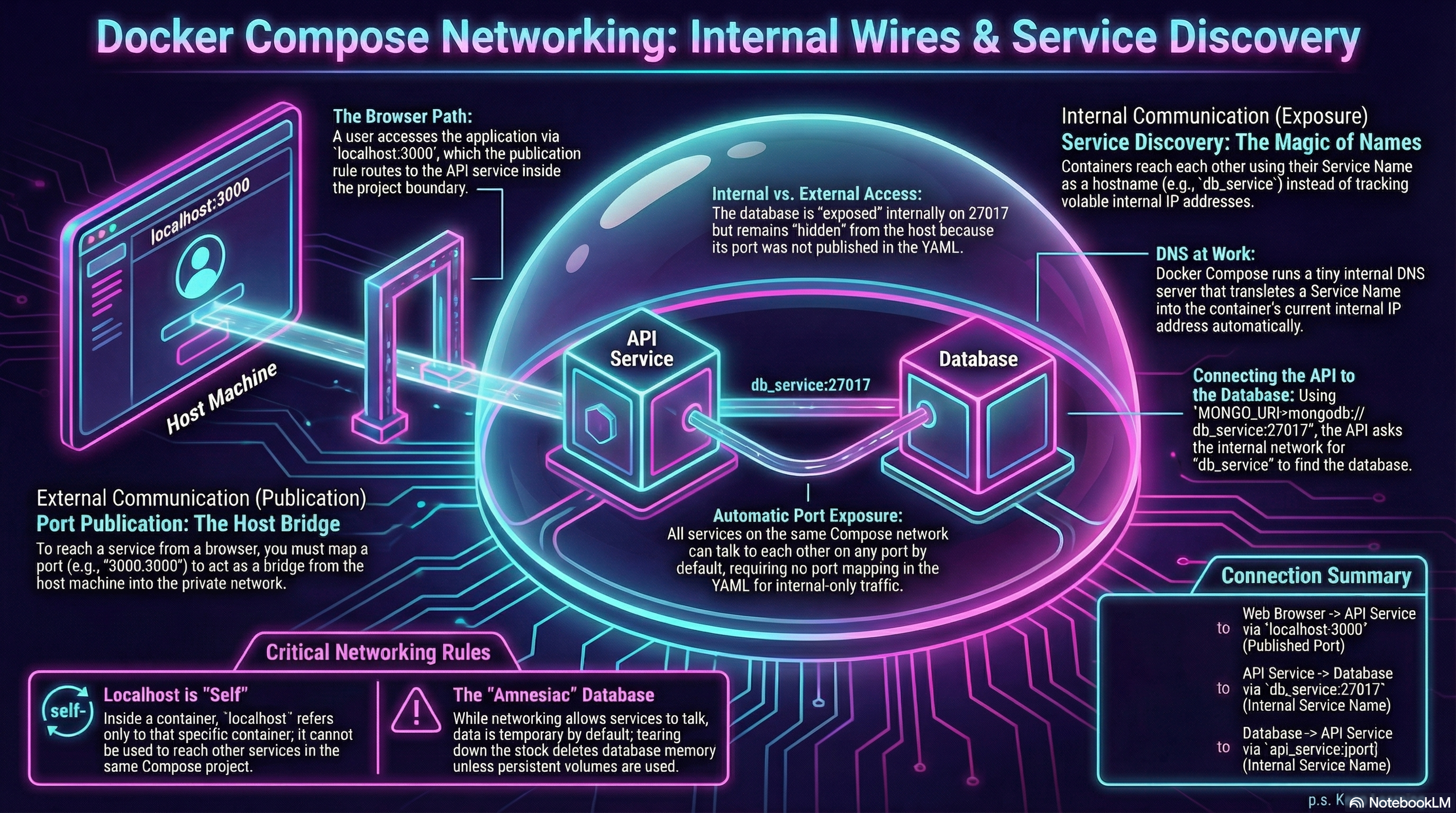
Figure 1: Internal Networking and Service Discovery with Docker Compose
Port Exposure vs Port Publication
Section titled “Port Exposure vs Port Publication”There is a subtle but vital distinction between how the API talks to the database and how we talk to the API.
1. Internal Communication (Exposure)
Section titled “1. Internal Communication (Exposure)”The database container is listening on port 27017. Because they share a network, the API can reach it directly at db_service:27017.
Notice that we did not map a port for the database in our YAML. We don’t need to; the internal network is open to all services in the project.
2. External Communication (Publication)
Section titled “2. External Communication (Publication)”For us to reach the API from our browser, we needed to map the port:
ports: - "3000:3000"This acts as a bridge from our host machine into the private project network.
Inside a container, localhost still means “this container.” If the API tries
to connect to localhost:27017, it will fail because it’s looking for MongoDB
inside itself. Use service names for any container-to-container traffic.
Summary of the Wires
Section titled “Summary of the Wires”- Browser to API:
localhost:3000(via published port) - API to Database:
db_service:27017(via internal service name)
This architecture keeps our database “hidden” from the outside world while keeping it perfectly accessible to our application.
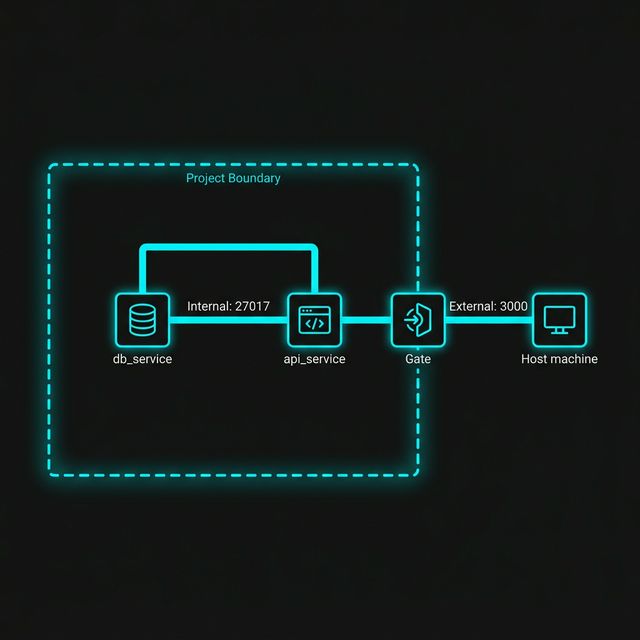
Figure 1: Exposure vs. Publication. By default, services on the same Compose network can talk on any port (Exposure), but only ports explicitly mapped in the YAML (Publication) are reachable from your host machine browser.
Extra Bits & Bytes
Section titled “Extra Bits & Bytes”Docker Compose Networking
⏭ Persistent Volumes
Section titled “⏭ Persistent Volumes”Our services can talk, but our database is still “amnesiac”—if we tear down the stack, the data dies. Next, we’ll give our database some permanent memory.