Enter Docker Compose
If the manual orchestration step felt clunky, fragile, and just a little obnoxious, that is because it was.
Creating networks by hand, remembering container names, rebuilding images, re-running long docker run commands, and keeping all the flags straight does not scale very gracefully.
This is where Docker Compose enters the chat.
What Docker Compose Gives Us
Section titled “What Docker Compose Gives Us”Docker Compose lets us define a multi-container application in a single file.
Instead of typing a whole sequence of container commands ourselves, we describe the services we want, and Compose handles the setup.
That means Compose can manage things like:
- which services exist
- which image or build instructions each service uses
- which ports are exposed
- which services should run together
- the shared network they use to communicate
That is a much nicer deal.
From Imperative to Declarative
Section titled “From Imperative to Declarative”This is the real conceptual shift.
When we were manually orchestrating containers, we were working imperatively.
That means we were telling Docker exactly how to do each little step:
- create this network
- run this container
- attach this name
- map this port
- rebuild this image
- re-run this service
With Compose, we move to a more declarative style.
Instead of spelling out every step by hand, we describe the environment we want and let Docker Compose bring it into existence.
Manual Docker commands are very step-by-step.
Compose is more like saying, “Here is the setup I want. Please make reality match this file.”
Why This Matters
Section titled “Why This Matters”Manual orchestration was useful because it showed us what was really happening under the hood.
Now that we understand the moving parts, Compose can start feeling like a convenience instead of mysterious wizardry.
That is the sweet spot:
- we know what networks are doing
- we know why service names matter
- we know why rebuilding is sometimes necessary
- and now we are ready to describe all of that in one place
One File, Shared Setup
Section titled “One File, Shared Setup”A Compose file is especially useful on a team.
Instead of every developer maintaining their own mental checklist of commands, the project can keep its setup in version control right alongside the code.
That makes the environment:
- easier to share
- easier to repeat
- easier to understand
Docker Compose does not replace Docker.
It sits on top of Docker and helps coordinate multiple containers more cleanly. Under the hood, the same core ideas are still in play: images, containers, ports, networks, and volumes.
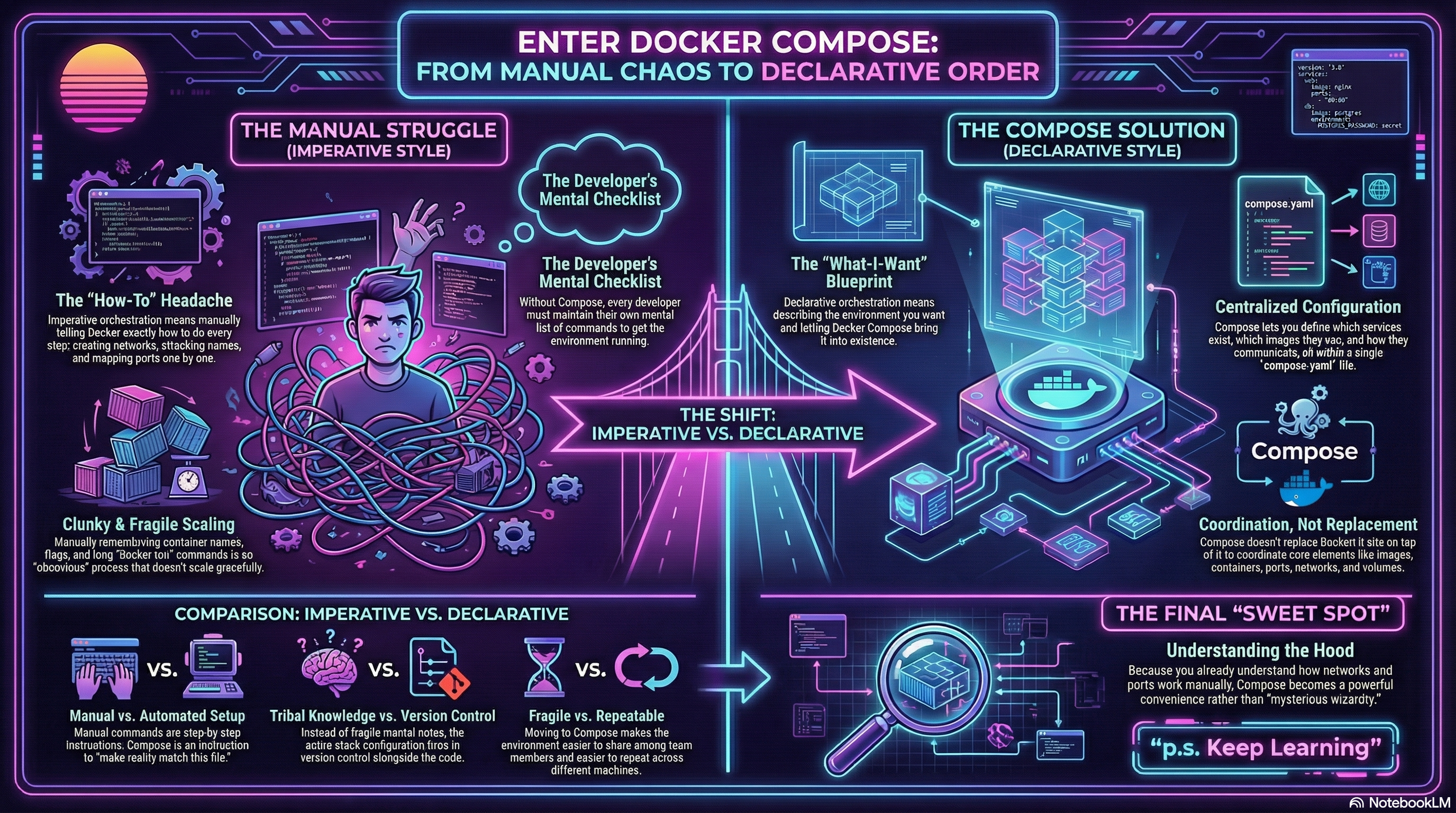
Figure 1: The shift from Imperative to Declarative. Instead of executing a long string of manual ‘how-to’ commands, we simply provide a ‘compose.yaml’ blueprint that describes our desired end-state.
Extra Bits & Bytes
Section titled “Extra Bits & Bytes”Official Docker Compose Overview
⏭ Writing the First Compose File
Section titled “⏭ Writing the First Compose File”Now that we know what Compose is for, let’s create our first compose.yaml and describe both services in one place.